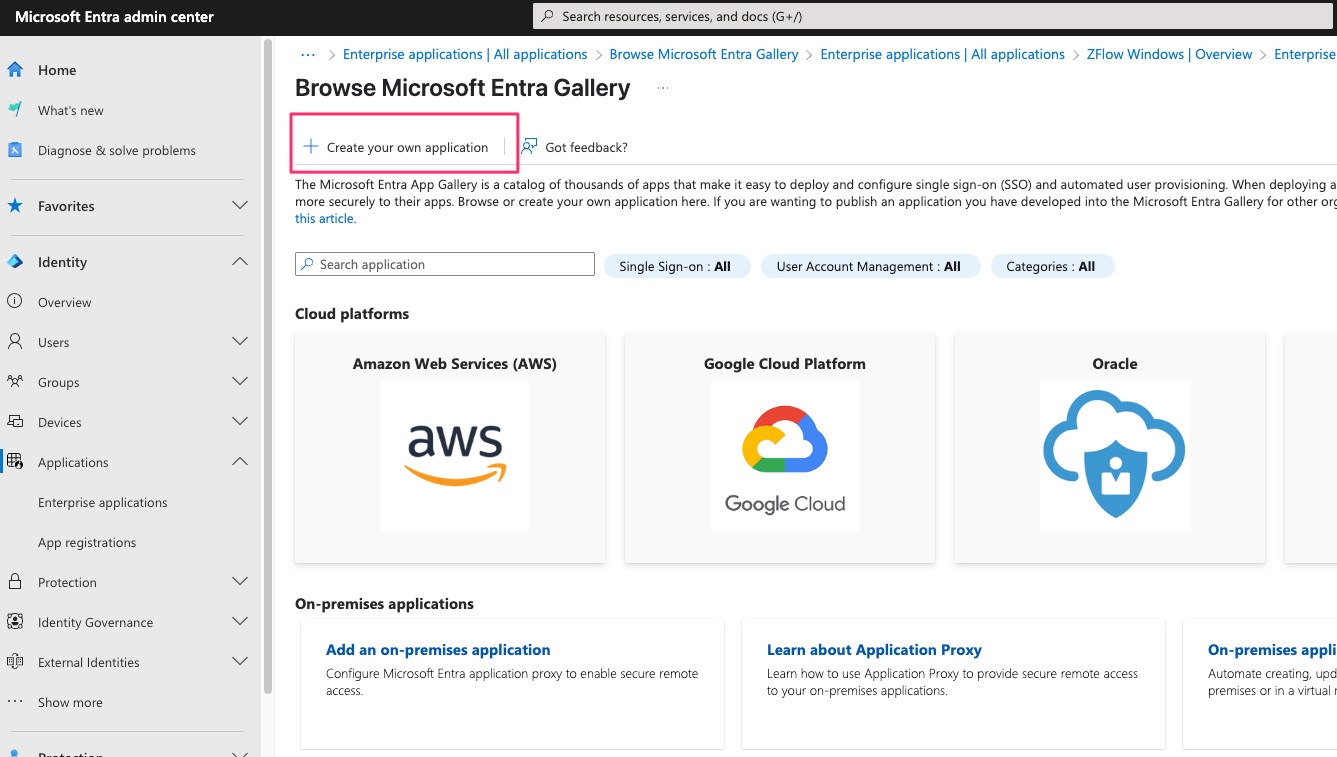
Create a New Enterprise Application in Microsoft Entra
- Navigate to Home > Microsoft Entra > Enterprise Applications
- Select Create New Application

“Create your own application”
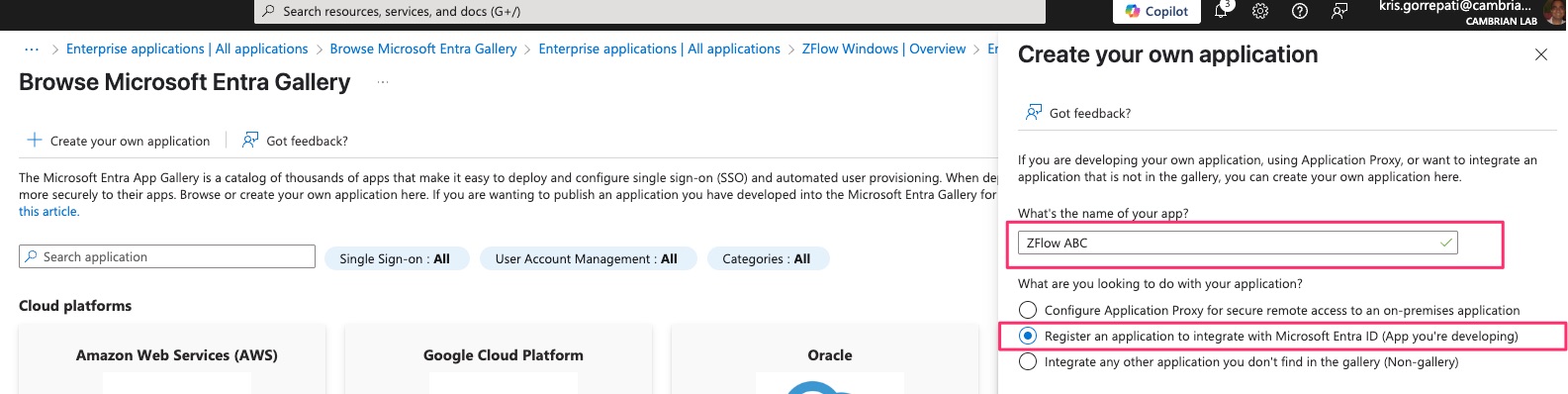
Give a Name for the application (ZFlow Test, for example)
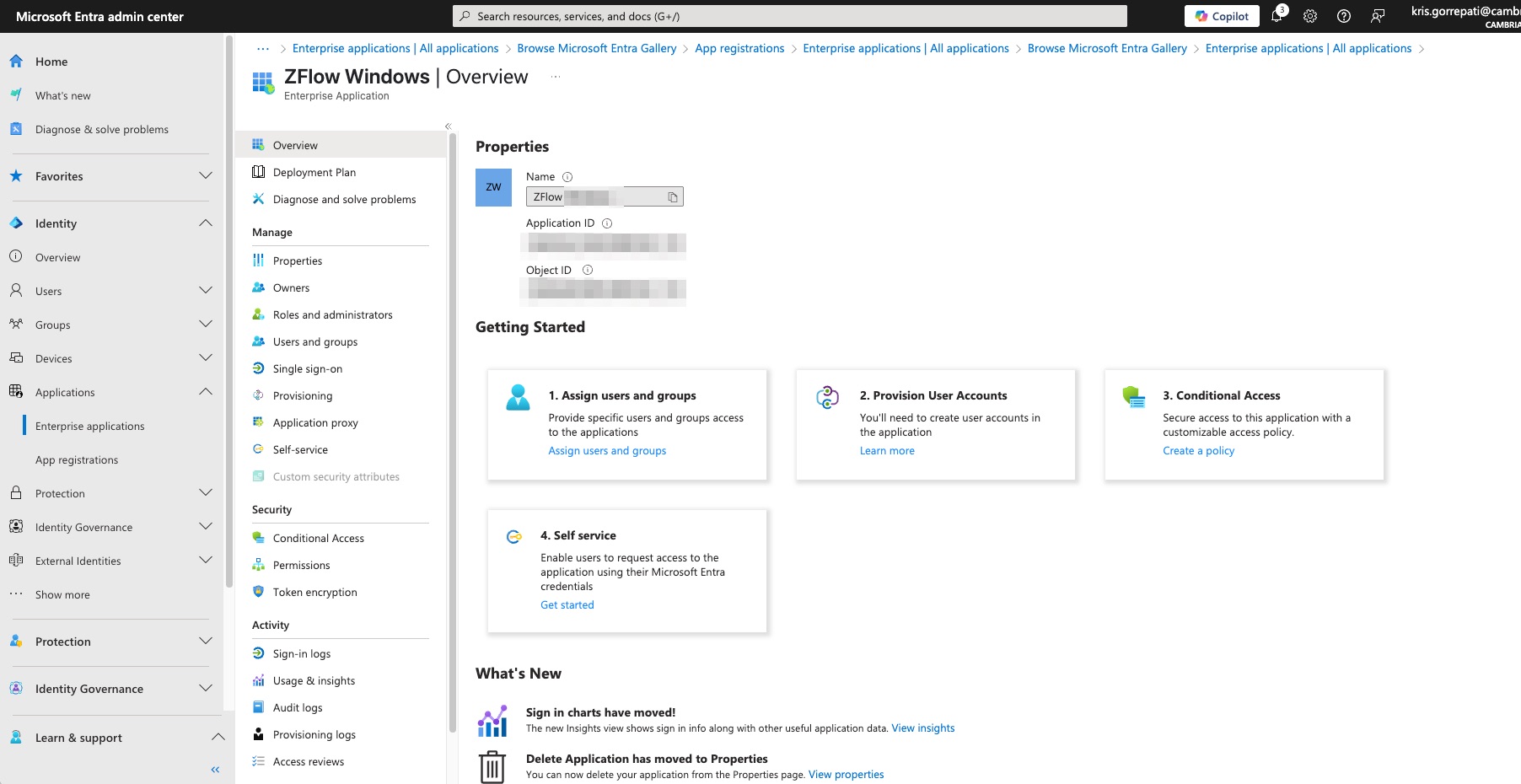
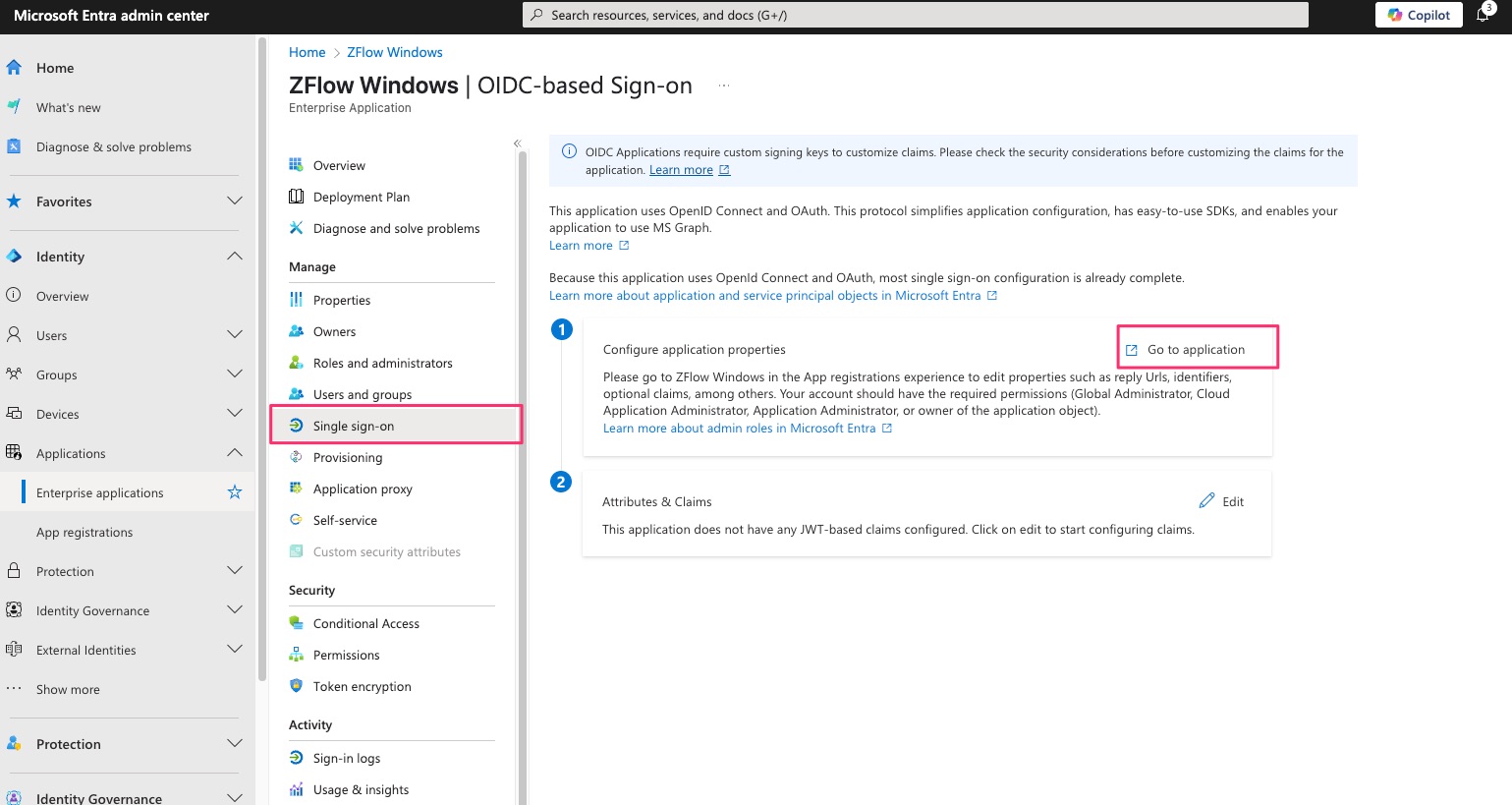
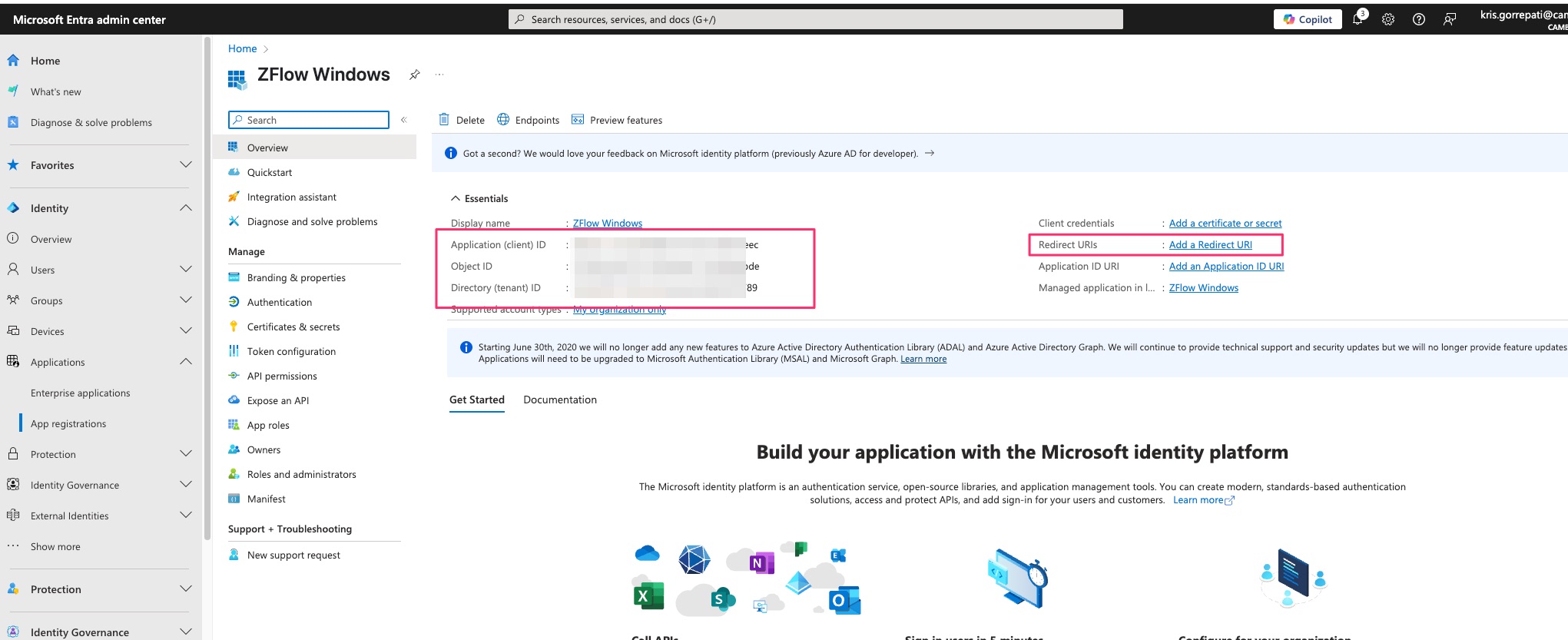
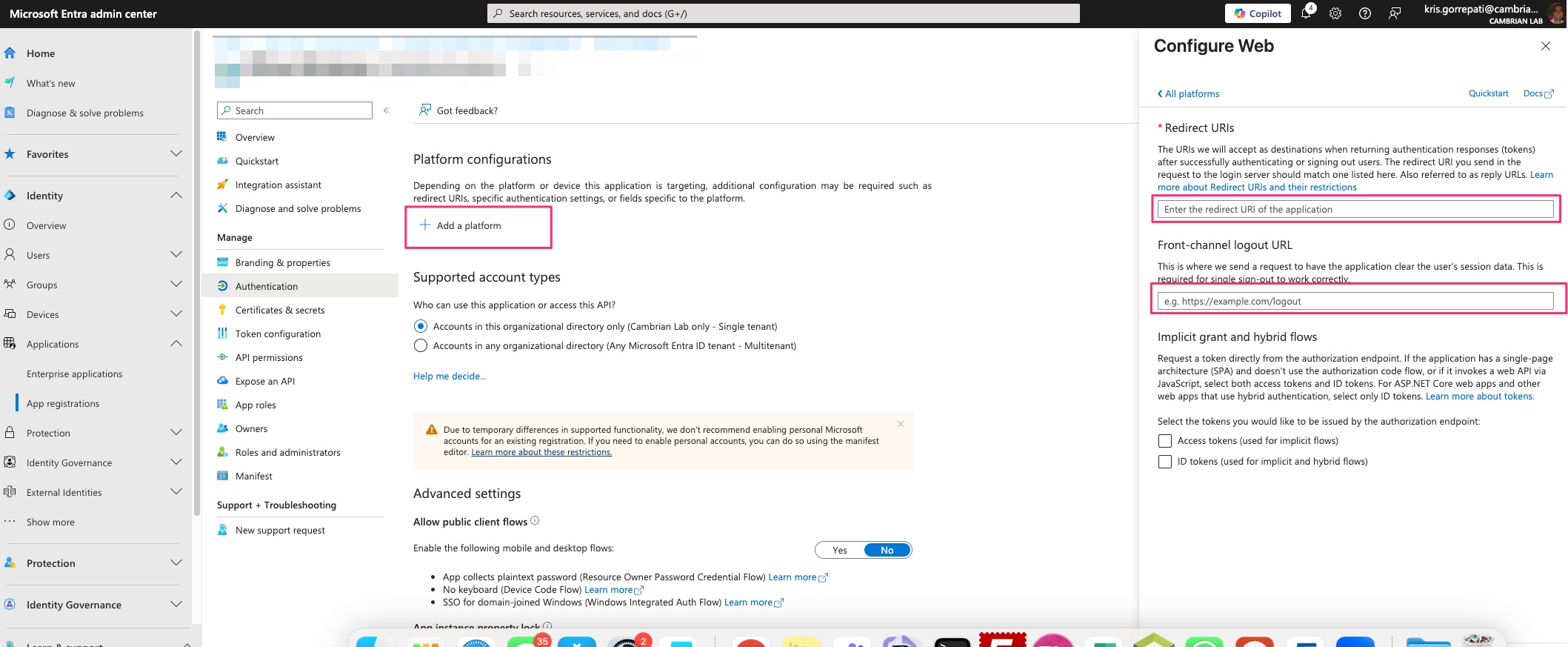
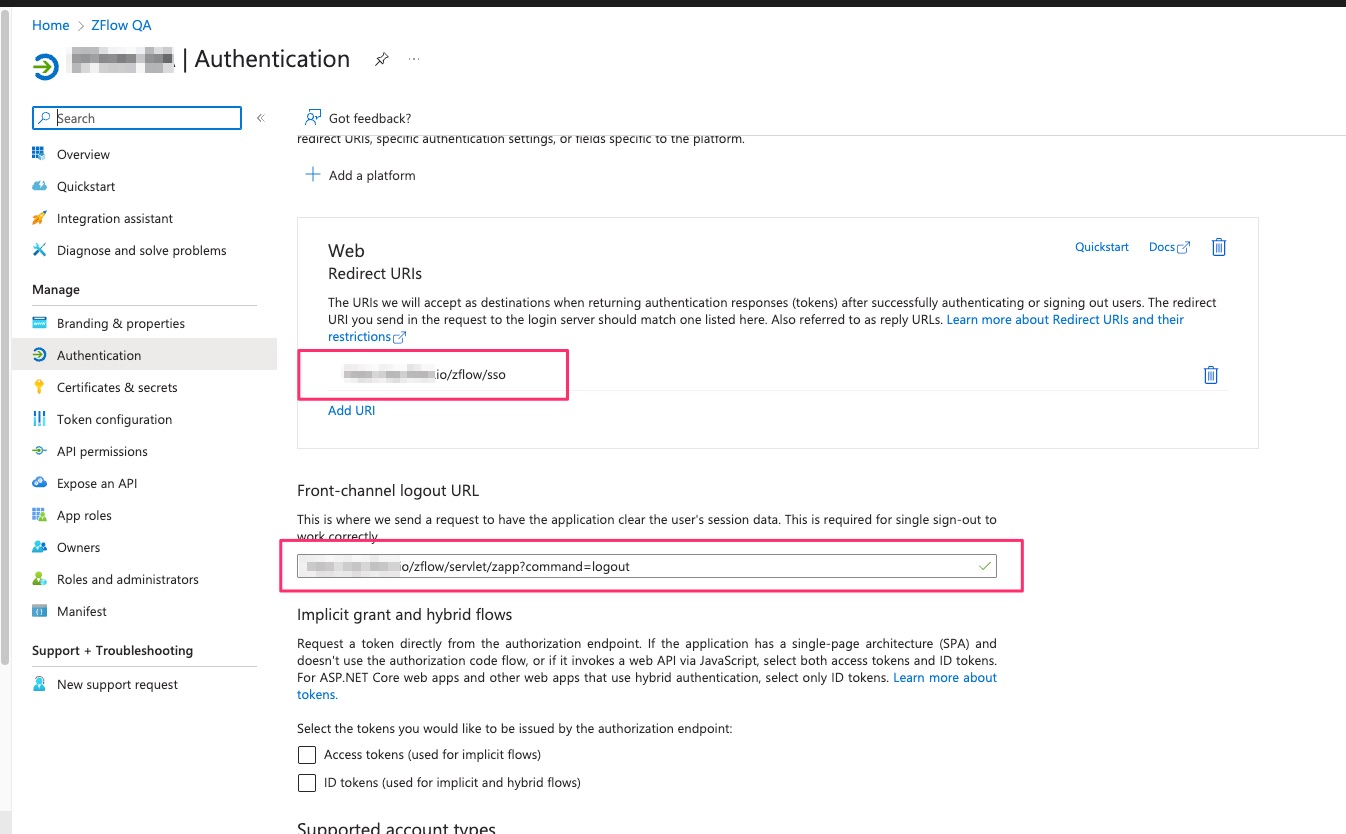
Add ZFlow Redirect URI and Front Channel logout URLs